Apply
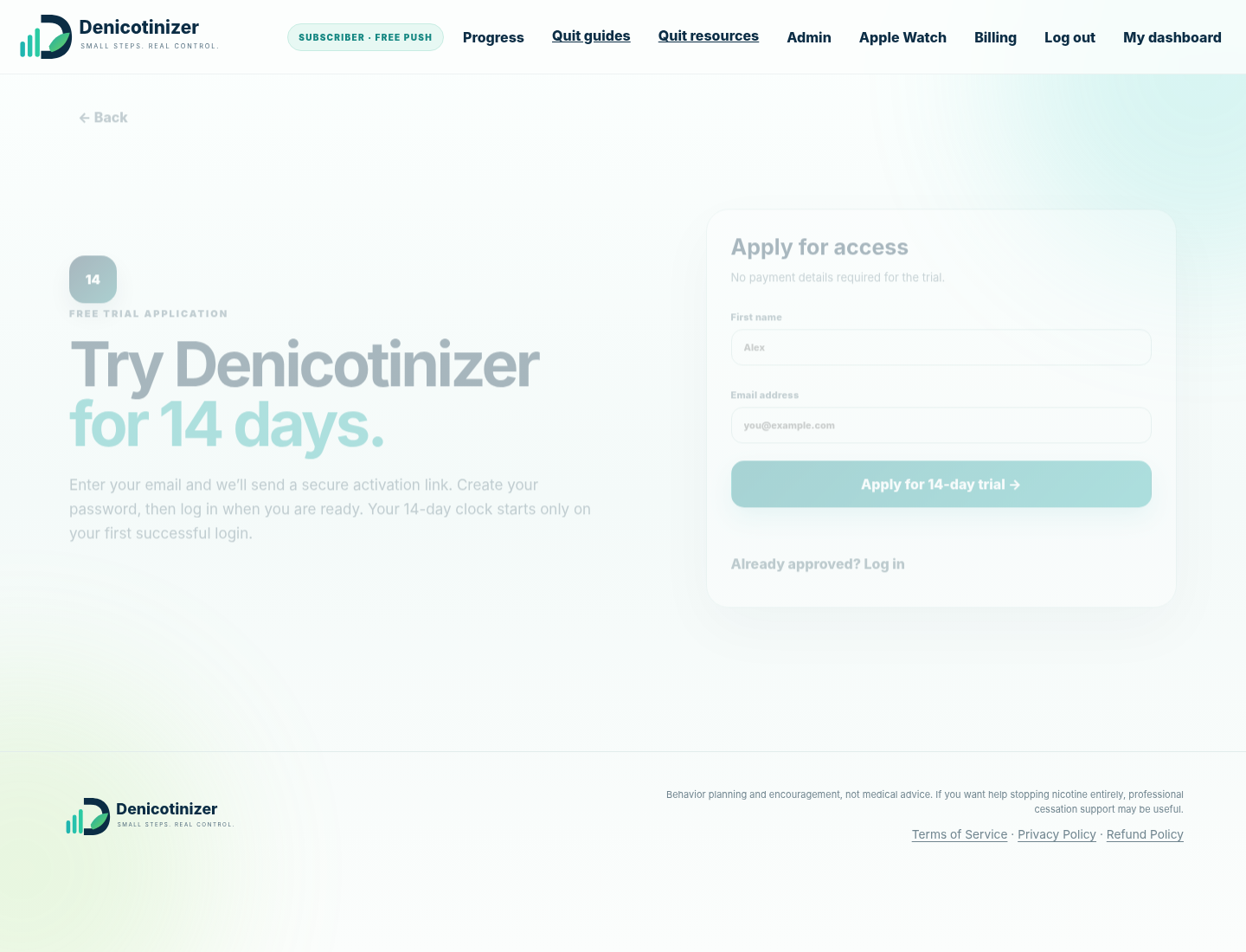
Request the free 14-day trial with your email address.
 USER MANUAL
A clear, visual guide to every part of Denicotinizer - from your first trial login to reminders, progress analytics, Apple Watch logging and billing.
Denicotinizer is a behavioral planning and encouragement tool for gradually reducing cigarettes, snus, nicotine pouches or vaping. It creates a personal daily rhythm, reminds you when a planned window arrives, and records what you actually chose.
Request the free 14-day trial with your email address.
Open the secure email link and create your password.
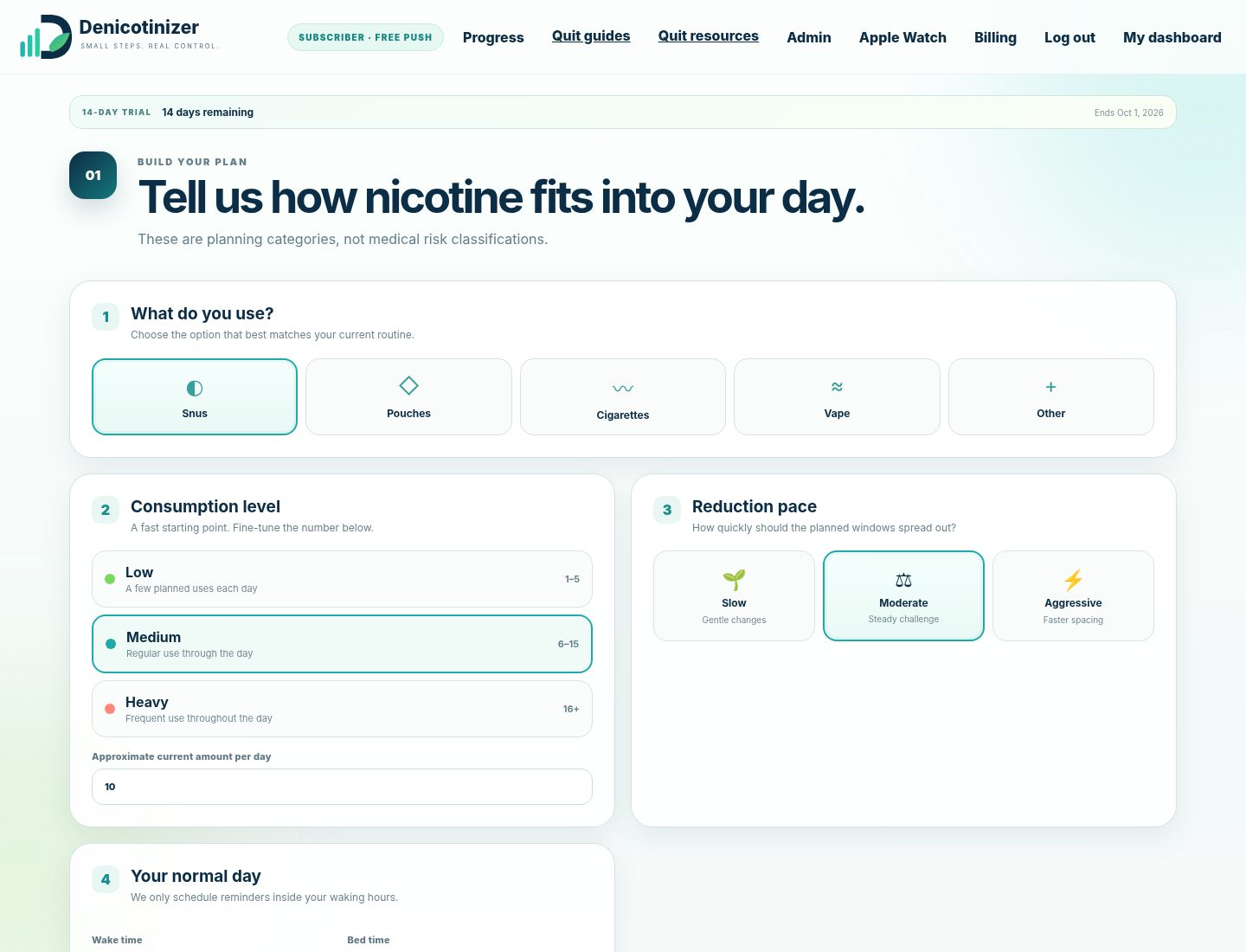
Choose product type, baseline usage, reduction level and pace.
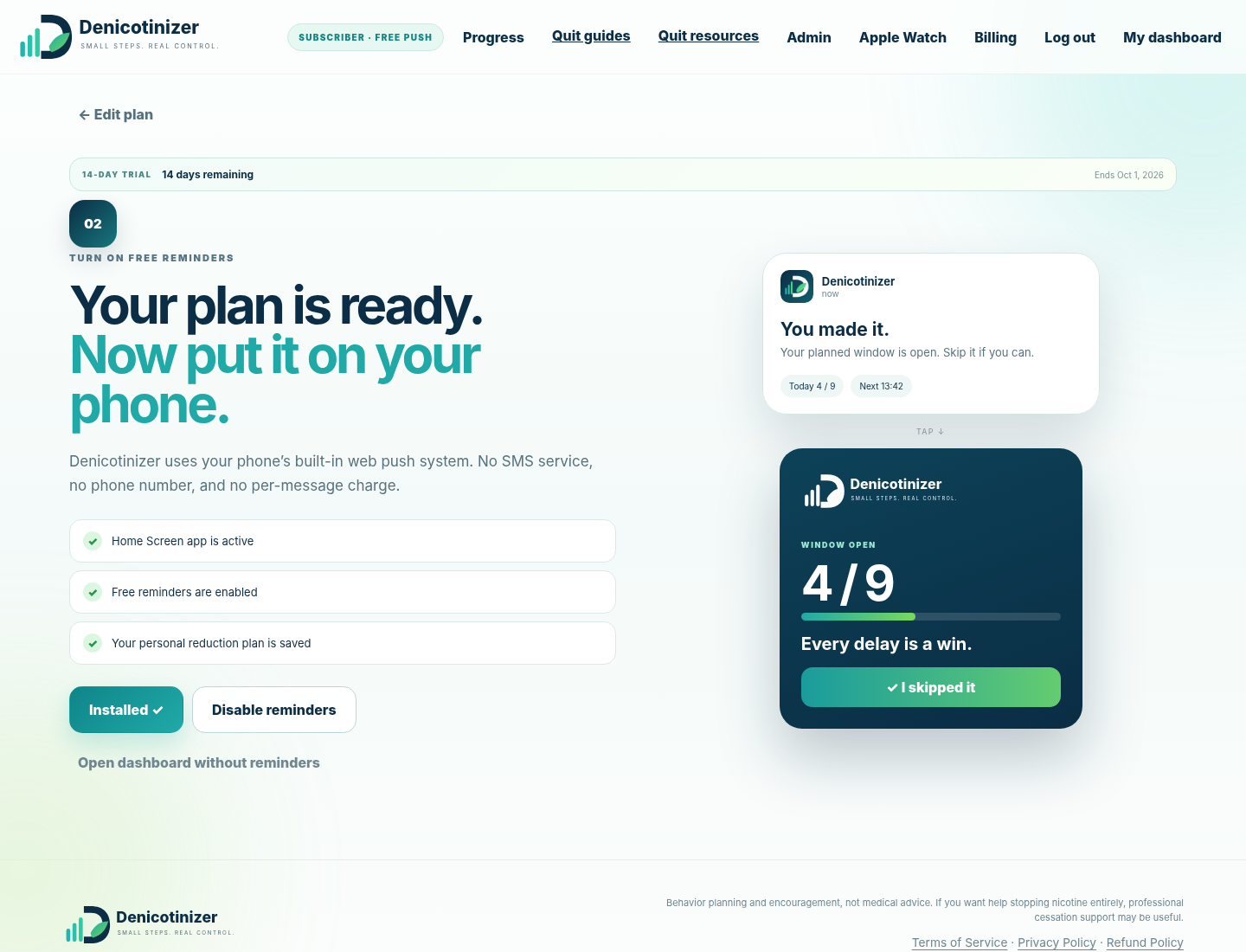
Allow notifications once. Denicotinizer keeps them connected across normal program updates.
Your baseline is the amount you currently use on a typical day. Denicotinizer will never plan above that baseline.
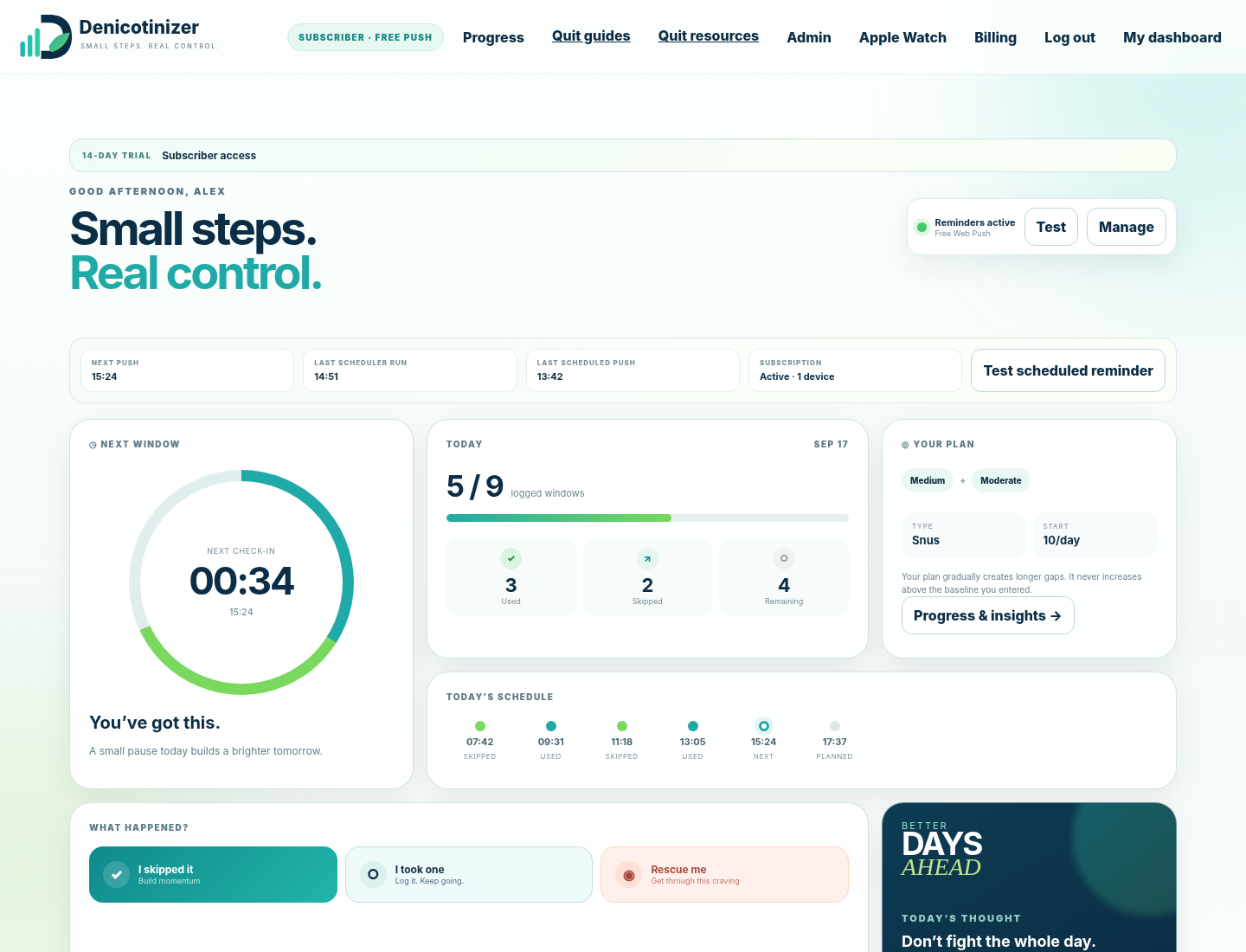
The dashboard keeps the day simple: today’s planned limit, what you have logged, your next planned window and your full schedule.
Shows logged choices versus today’s planned maximum.
Shows the next planned time and a live countdown.
Each window changes state as you log skipped or used.
Shows product type, baseline, level and pace.
When a planned window arrives, record the choice that actually happened. The history is about awareness, not perfection.
Records that you passed the planned window without using nicotine.
Records a nicotine use. It does not punish or reset your plan.
Records a difficult moment and gives a short supportive intervention.
You may still need to re-enable notifications if you manually disable notifications in iOS/browser settings, remove the PWA, clear all site data, revoke permission, or if the operating system invalidates the underlying push subscription.
The Progress page separates two different views so the graphs stay meaningful.
The full-program trajectory of your planned maximum uses per day.
Shows when during the day your logged nicotine use tends to happen.
25%, 50%, 75% and 100% program markers.
Current/best streaks, skipped vs used and rescue count.
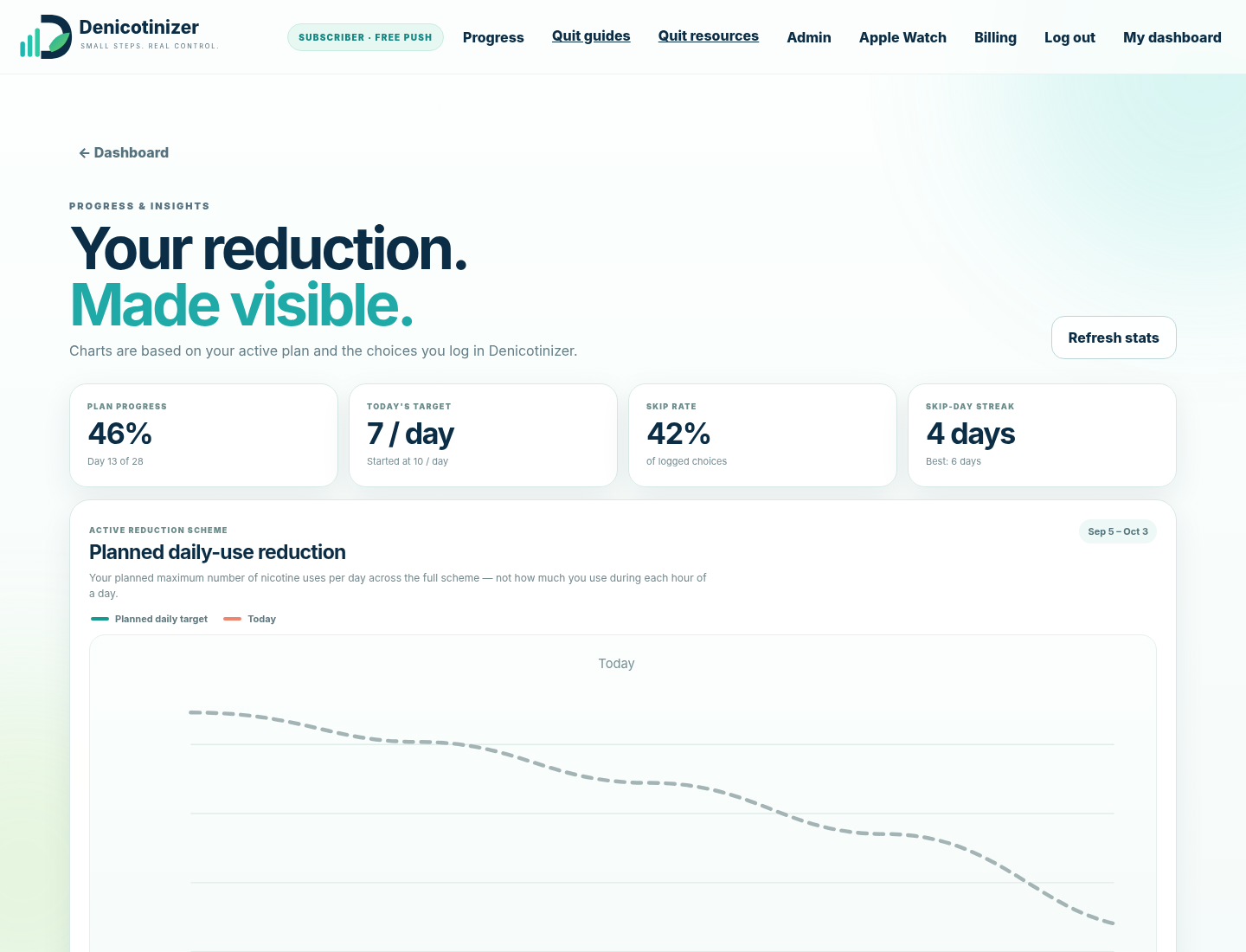
You can stop/archive the current plan and create a new one. Previous plans and logged statistics stay available in history.
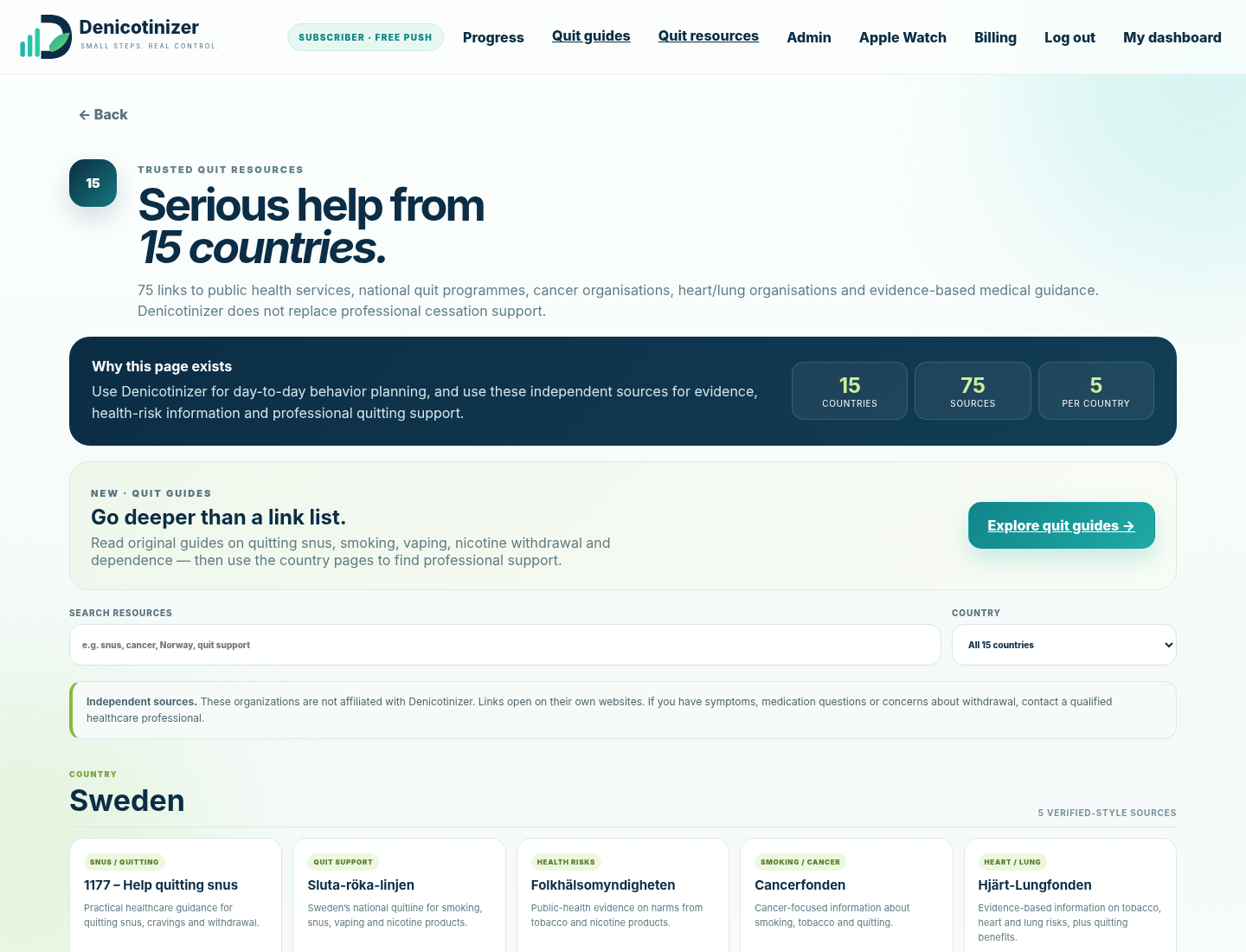
The Support area is the single help hub. Everyone can reach Denicotinizer’s original guides and trusted external quit resources. When you are logged in, Support also gives you direct access to the User Manual and Apple Watch setup.
The recommended Apple Watch workflow is simple: install the shared Shortcut once, add Denicotinizer Watch as a watch-face complication, then use that complication whenever you want to log a choice.
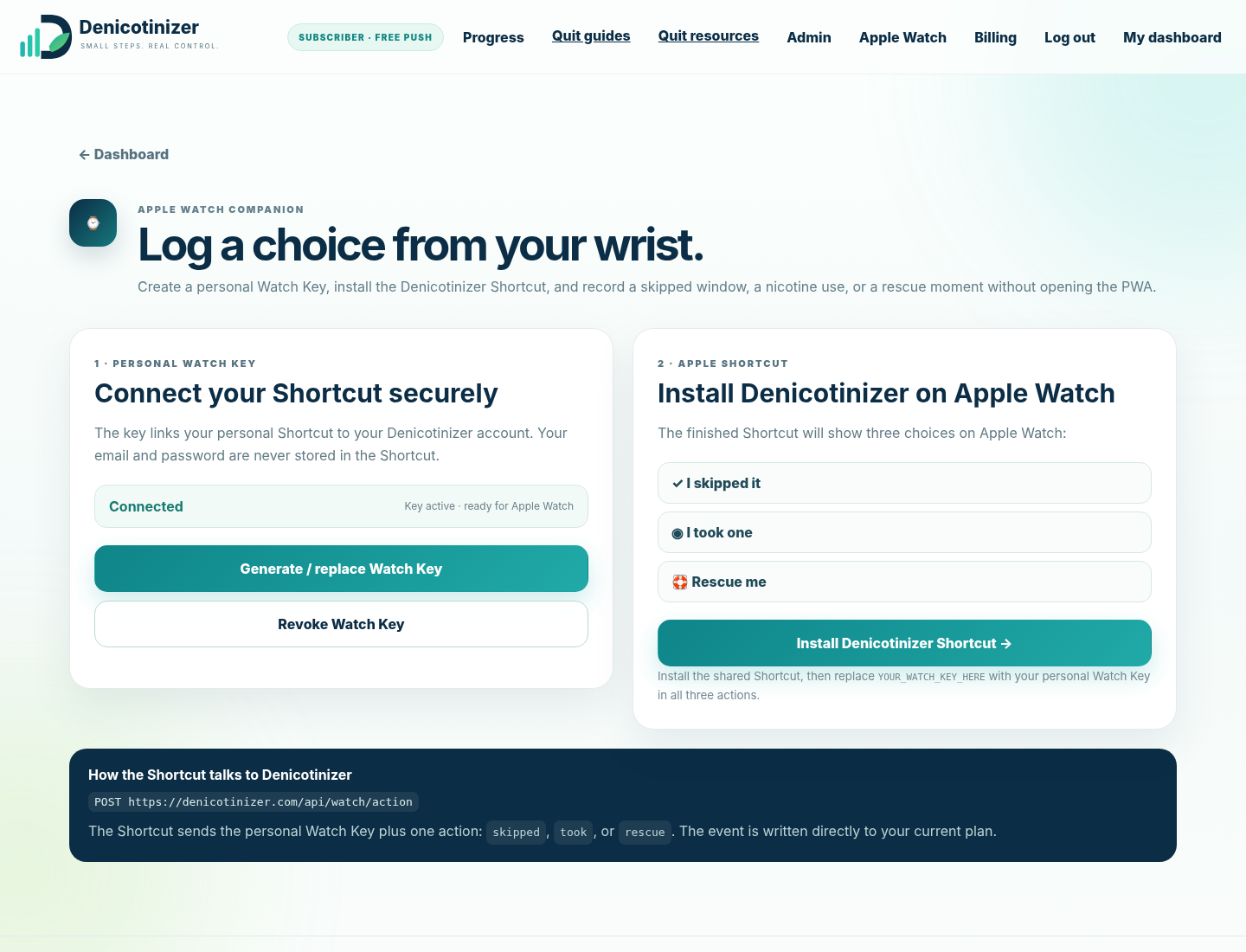
YOUR_WATCH_KEY_HERE with your personal Watch Key.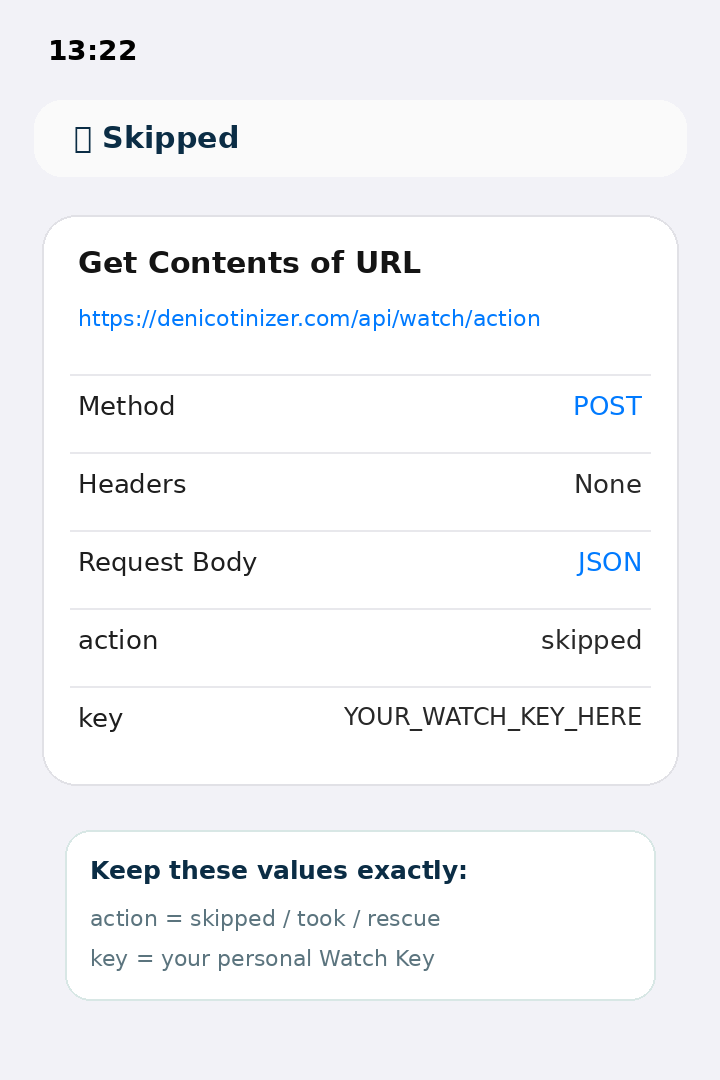
action and key.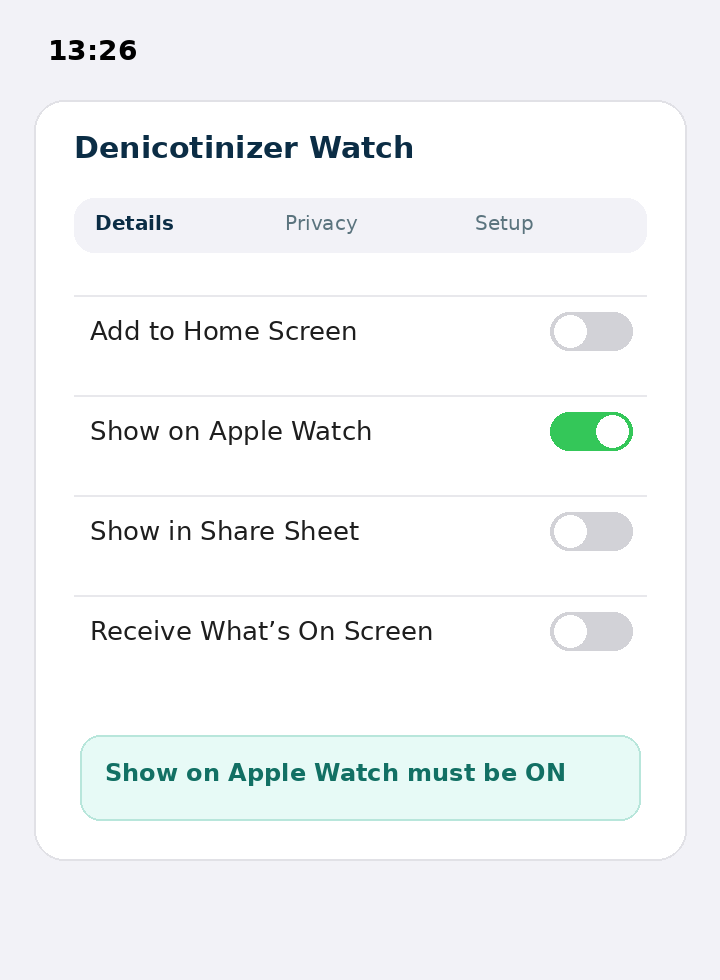
denicotinizer.com, approve it.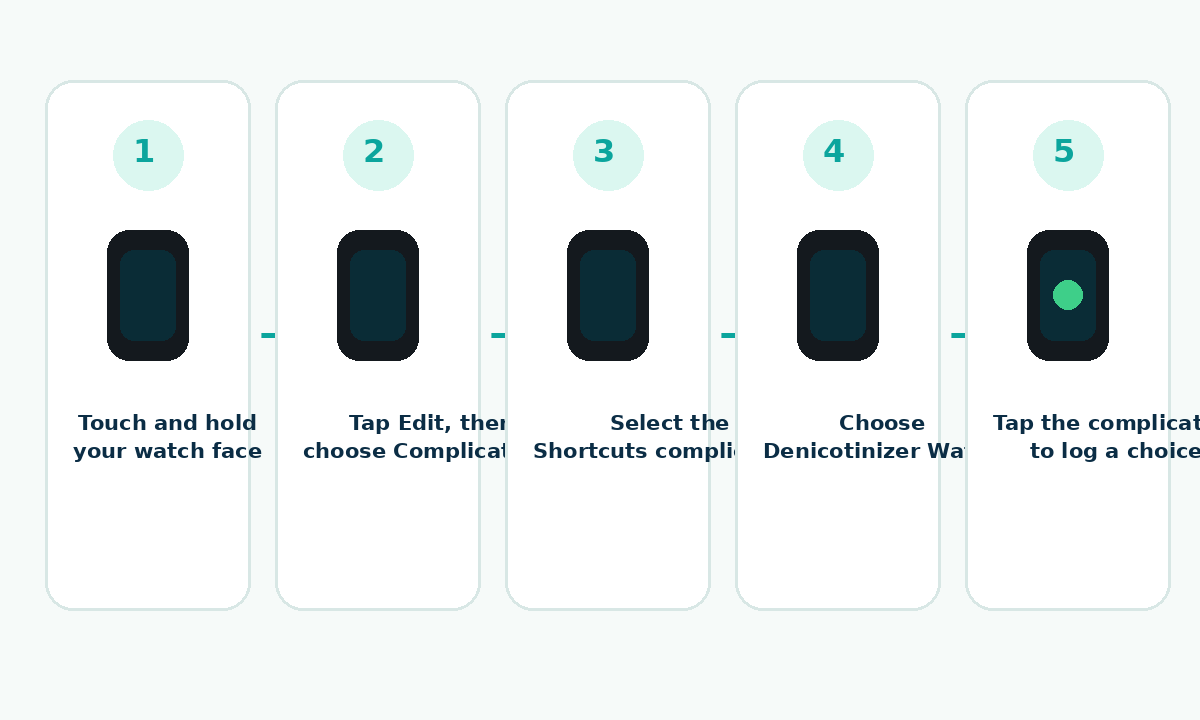
Shared Shortcut: Denicotinizer Watch.
Billing is handled by Paddle. Denicotinizer does not receive or store your card details.
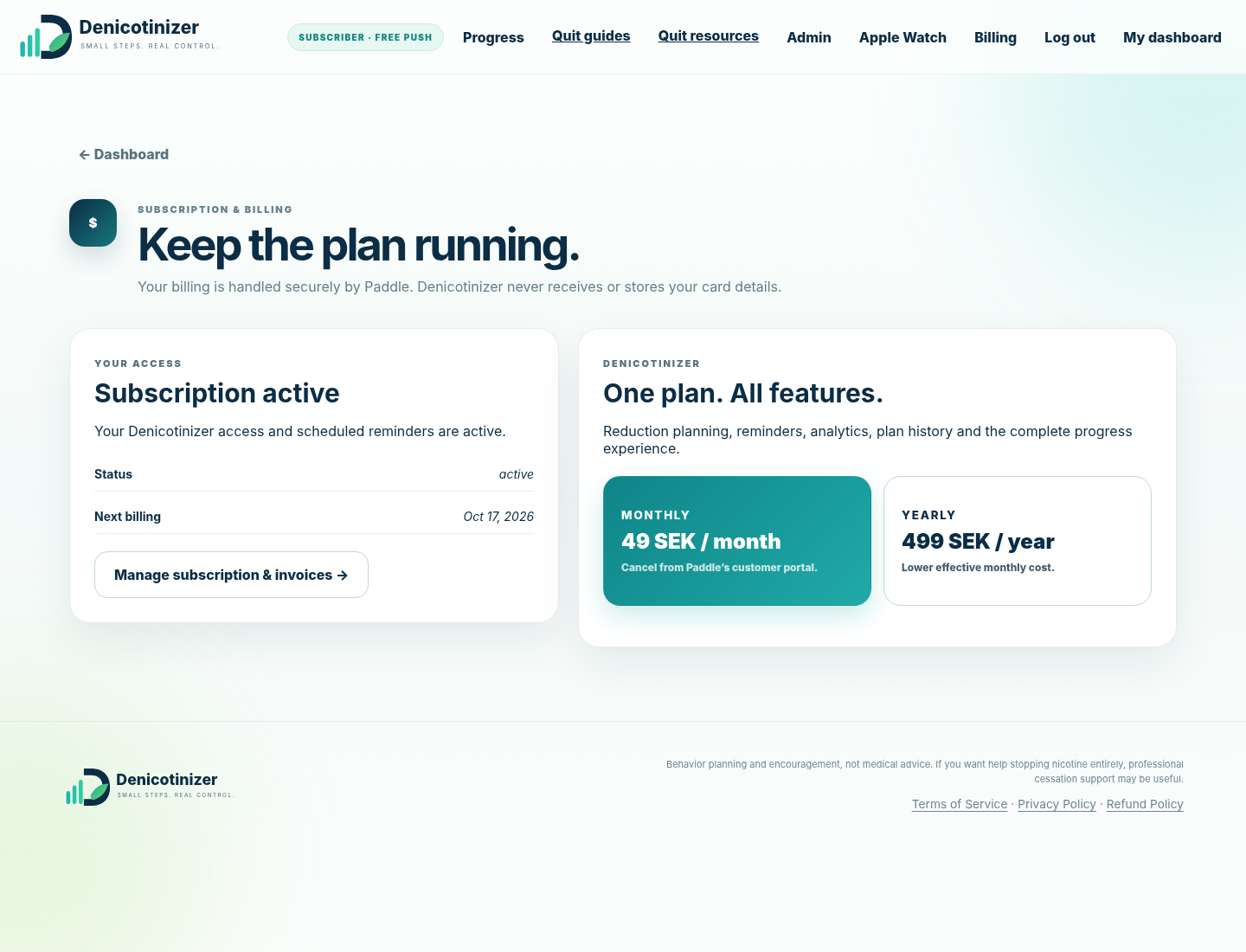
Use your browser’s Install app / Add to Home Screen command when available.
Check OS/browser notification permission first, then confirm Denicotinizer shows Reminders active. If site data or the PWA was removed, enable reminders again.
Reload the page. Denicotinizer uses a network-first service worker and removes old caches during activation.
Generate a fresh Watch Key and replace the placeholder in all three Shortcut requests.
Refresh the dashboard and confirm the Shortcut action matches exactly: skipped, took or rescue.
Make sure the Paddle checkout domain is approved and retry. Billing configuration is loaded from Denicotinizer’s server.
Use the original activation email, or contact the Denicotinizer administrator if the activation link has been replaced or expired.
Denicotinizer is a behavioral planning and encouragement service. It is not medical advice, a diagnostic tool or a medical dosing system.
Read the public Privacy Policy from the website footer.
Terms of Service are publicly accessible from every page.
The Refund Policy explains billing and refund handling through Paddle.
If you want help stopping nicotine entirely or have health concerns, use professional cessation/health services.
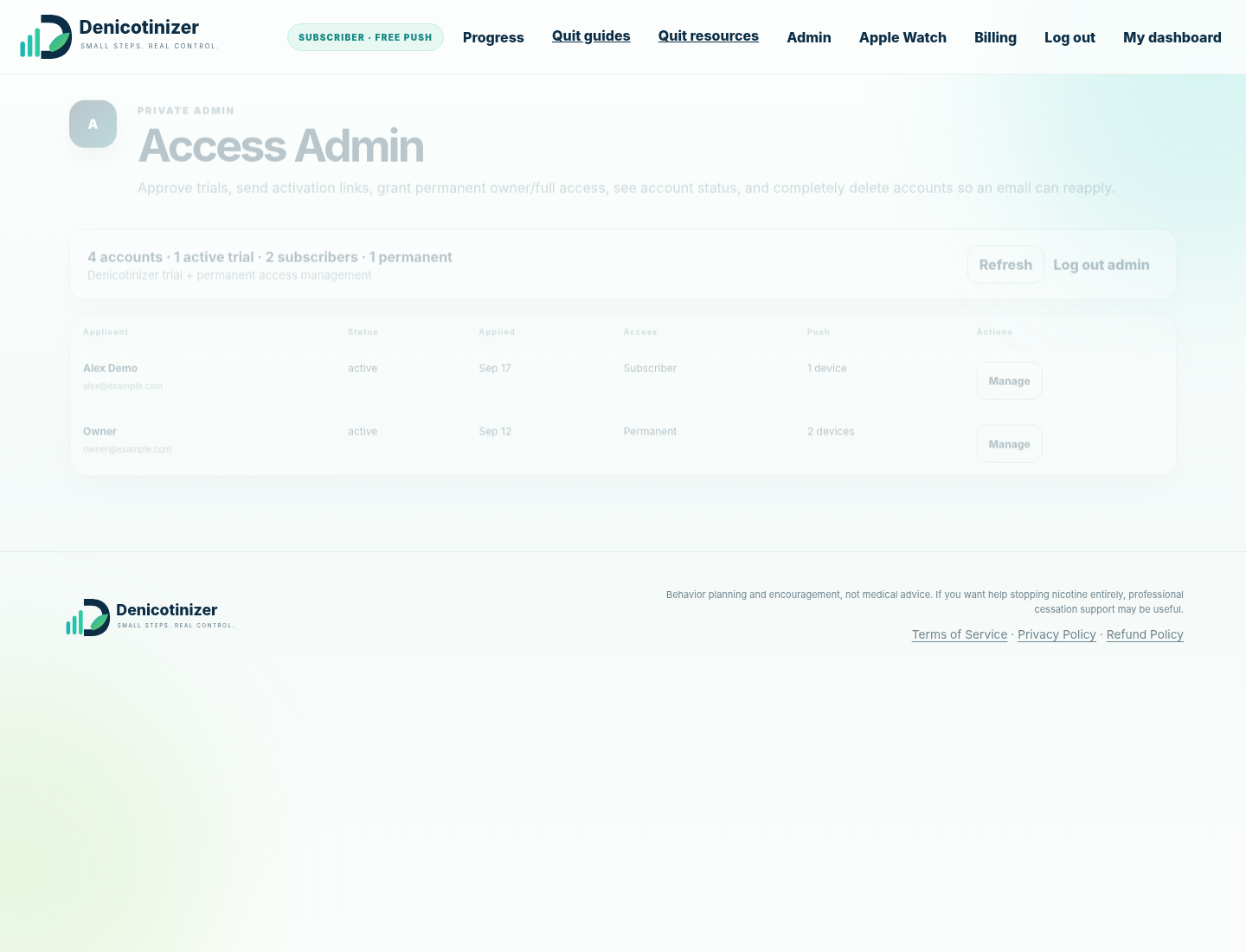
This section is for the Denicotinizer owner/administrator. Standard users do not need it.
The private admin area can review trial applications/accounts, resend activation email, create a fresh activation link, grant permanent access, inspect push count and delete an account when necessary.
The goal is not a perfect streak. Use the plan, record honestly, review the trend, and adjust the plan when reality changes.
Open My Dashboard